How Daycrumbs works.

Choose a chapter below. Learn the small gestures once, then get back to the life you came to remember.

Leave a crumb

Catch it in the form it arrives.

Speak, photograph, import, or write. A crumb can be a sentence or a whole story, and it never has to fit a timer.
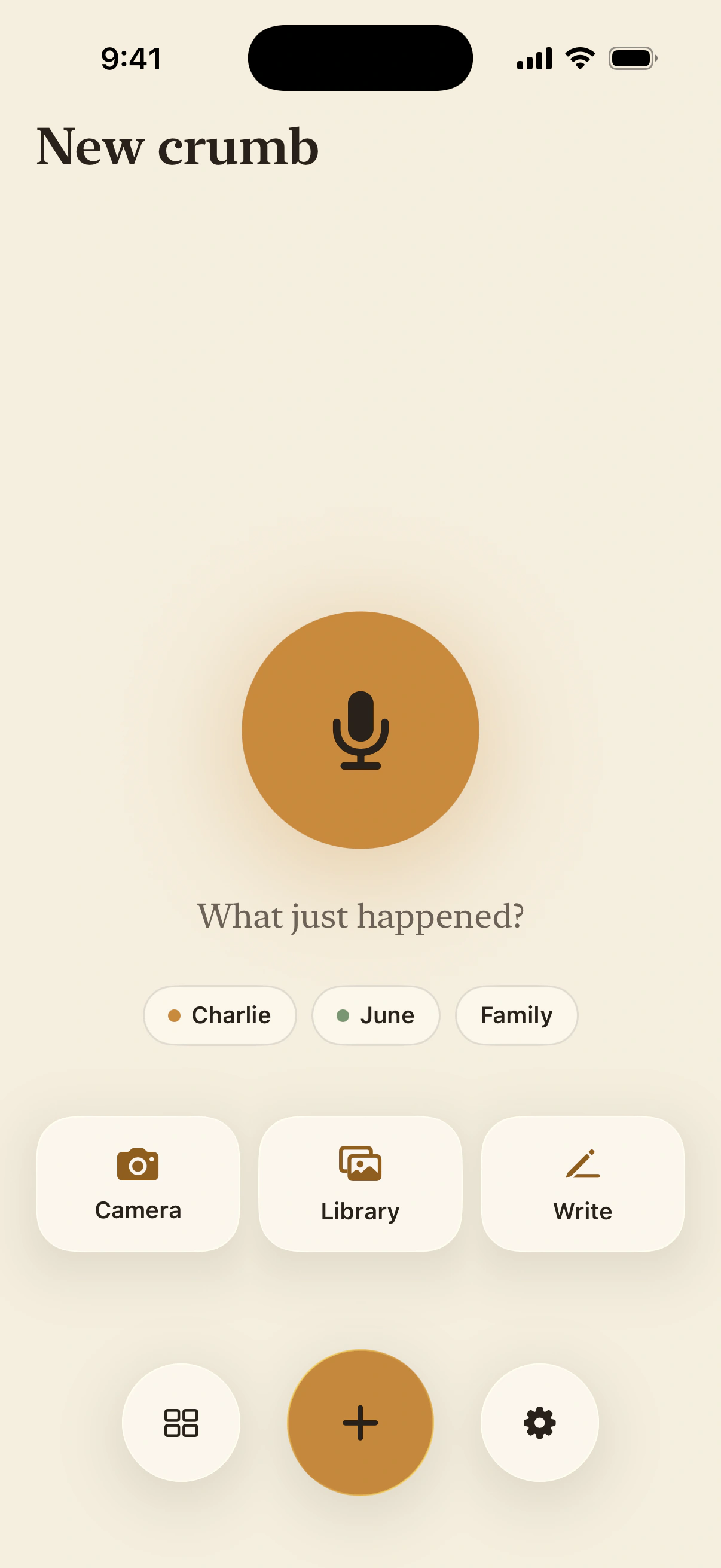
Daycrumbs New crumb screen with voice, Camera, Library, and Write choices
Current iPhone preview

Say it

Tap the microphone for a voice crumb. Daycrumbs keeps the recording and writes it down on this iPhone.

Show it

Camera catches what is happening now. Library brings in a photo or video you already have, with its original date.

Write it

Use Write when the words need quiet, or when the story is easier to type than say aloud.

The fastest choice is the right one. You can add context later, or leave the moment exactly as it is.
Save a crumb

A few taps, then back to them.

Library can keep up to ten photos and videos together. Choose who the moment is for, then save.

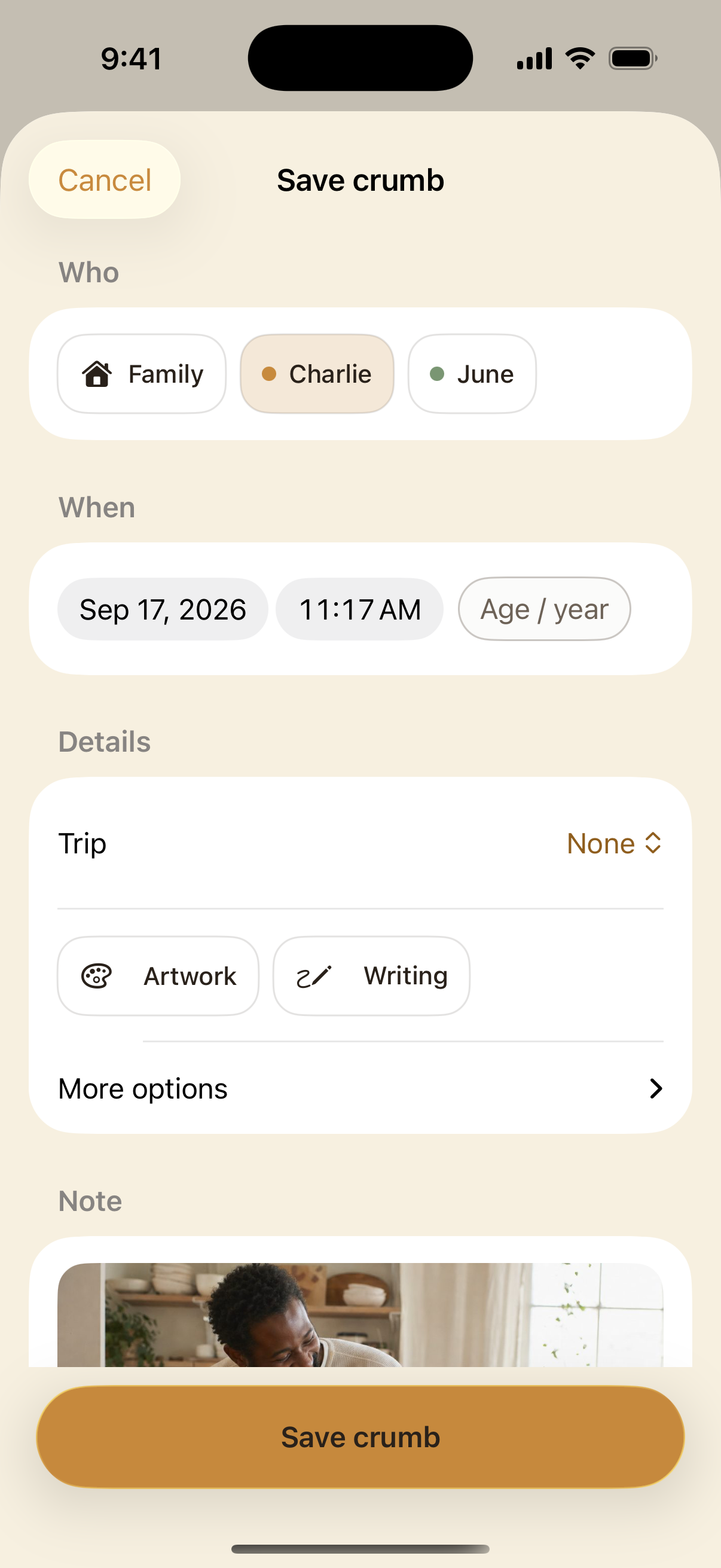
Save crumb with child and Family choices, date and time beside an Age / year button, labeled art tags, More options, and Save at the bottom
Current iPhone preview

Choose who

Tap a child, several children, or Family. Your last choice is already selected.

Keep the date or change it

The photo's date comes with it. Tap the date or time to change it, or use Age / year for an approximate date. Family moments offer Year only. If there is no photo date, today is shown as a starting point.

Add only what matters

Artwork and Writing place a photo on the art shelf. Open More options for where it happened or From the parents. Choose a Trip if it belongs to one.

Save within reach

Save crumb stays at the bottom. Add a note if you like, or save the moment as it is.

The first item is the cover. Swipe the stack on the trail to see the rest, or open the memory. In Edit, you can add, remove, or reorder the items.

The three buttons

The whole app is three familiar gestures.

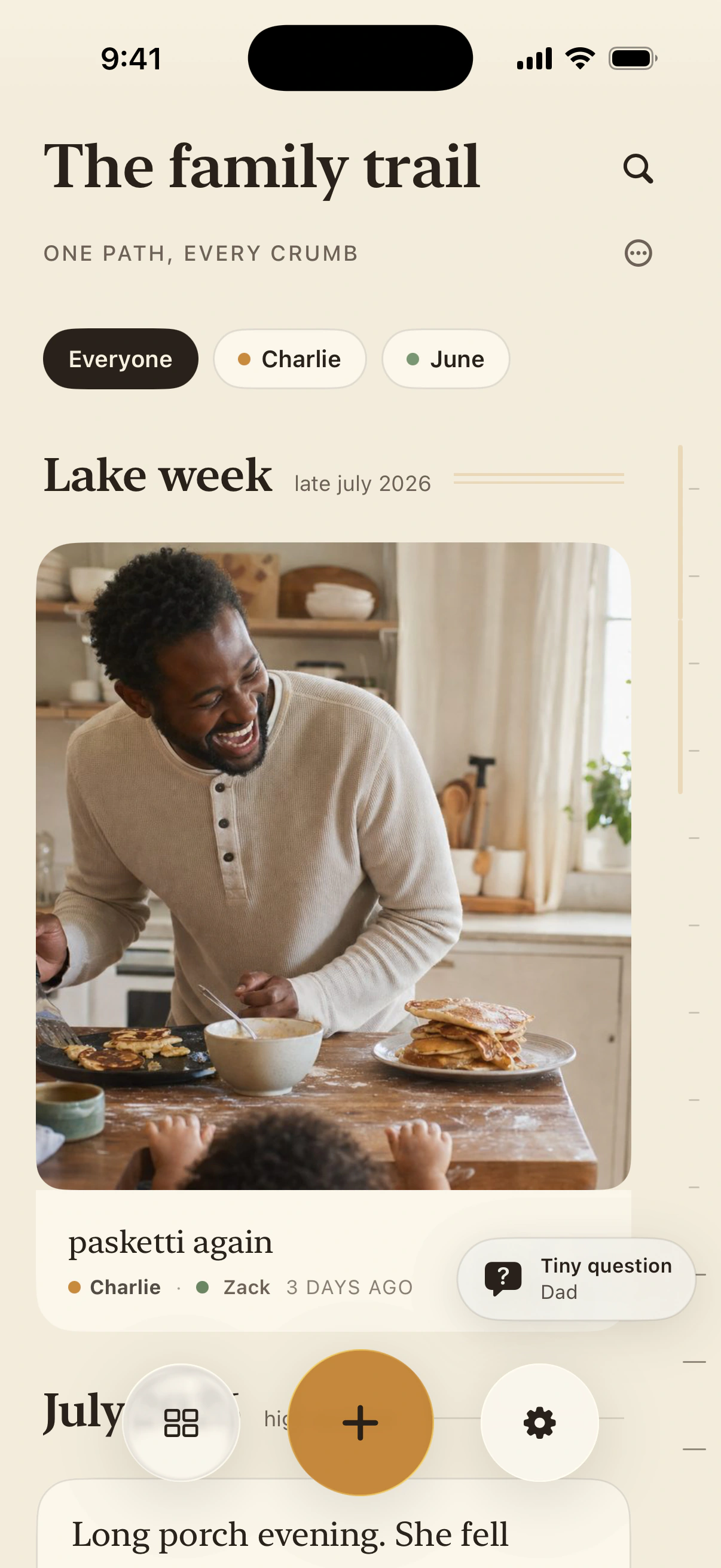
The dock stays with you: the trail on the left, a new crumb in the middle, and settings on the right.

The family trail with the trail, add, and settings buttons along the bottom
Current iPhone preview

Trail

Tap the left button to open the trail or change how it is shown. Hold it to return to the whole trail and the top.

New crumb

The amber plus is always the shortest route to a new memory, wherever you are in Daycrumbs.

Settings

Six places for Your family, Your memories, Preferences, Privacy & permissions, Your access, and Help & support.

A long hold on the left button is the hidden home gesture. It returns to the whole family trail and takes you back to the top.

Settings

Everything has a place.

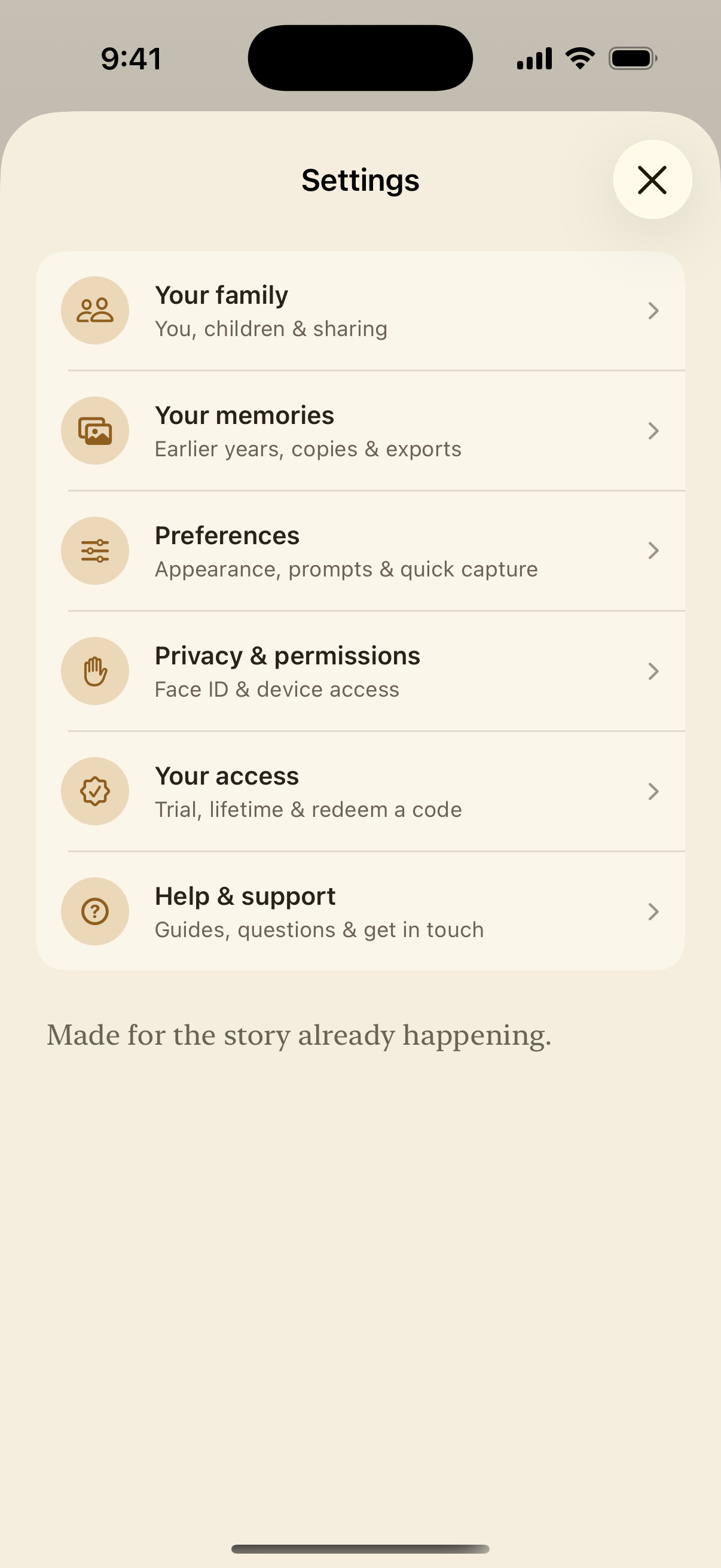
Six clear choices keep the controls close without a long page of switches.

Settings with six rows: Your family, Your memories, Preferences, Privacy and permissions, Your access, and Help and support
Current iPhone preview

Your family

Edit profiles and children, or manage family sharing.

Your memories

Fill in prior years, check backups, export a copy, or restore recently deleted crumbs.

Preferences

Choose appearance and gentle prompts, find available voice-title suggestions, or set up quick capture.

Privacy & permissions

Set your privacy lock and check what this iPhone lets Daycrumbs use.

Your access

See trial or lifetime access, restore a purchase, or redeem a code.

Help & support

Find this visual guide, common questions, and a way to reach a person.

Your choices stay as you set them. The main page helps you find where to change them.

Move through time

Skip from this morning to years ago.

The fine rail at the right edge is the time scrubber. Drag it to move quickly through a long trail without endless scrolling.

The family trail with its time scrubber visible along the right edge
Current iPhone preview

Touch the right edge

Press on the slim date rail. It is deliberately quiet until you need it.

Drag through years

Move up for earlier memories and down for later ones. Date markers help you place the moment.

Let the trail settle

Release near a month or year, then read, play, edit, or keep scrolling from there.

Slow down near the date you want, then let go. The trail settles there so you can keep browsing normally.

Trips

Let one stretch of life stay together.

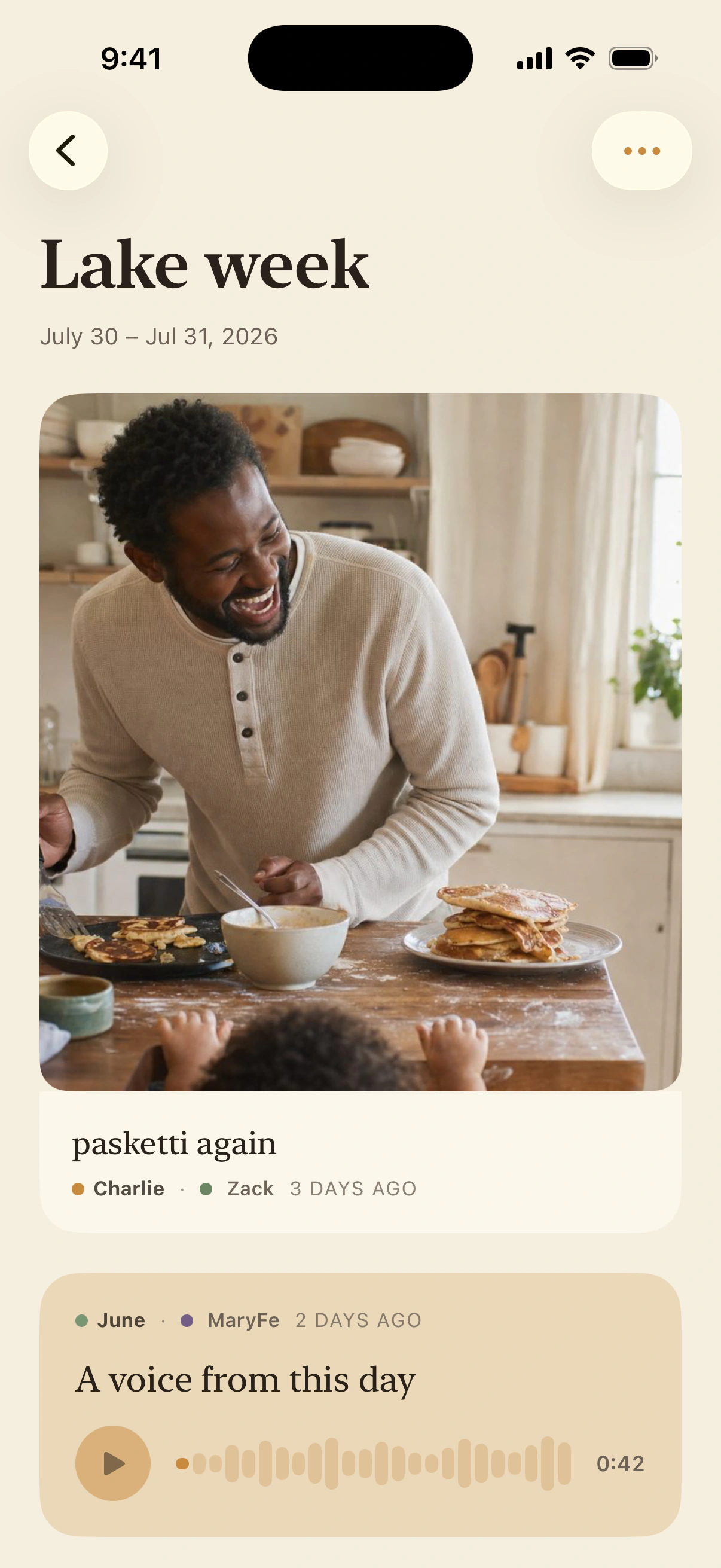
Start a trip from the trail menu, give it a name and dates, then keep adding crumbs as the days unfold.

A Daycrumbs trip page called Lake week with photo and voice crumbs together
Current iPhone preview

Start from the trail

Open the trail menu and choose Start a trip. Add a name and the dates that hold it together.

Keep capturing normally

Crumbs made during the trip gather on its page. You can also bring in camera-roll moments afterward.

Return whenever you like

The trip remains part of the main trail, while its own page lets the whole chapter breathe.

A trip does not have to be a vacation. A hospital stay, a move, camp week, or the long drive to college can belong together too.

Big Moments

Give the landmarks a little more room.

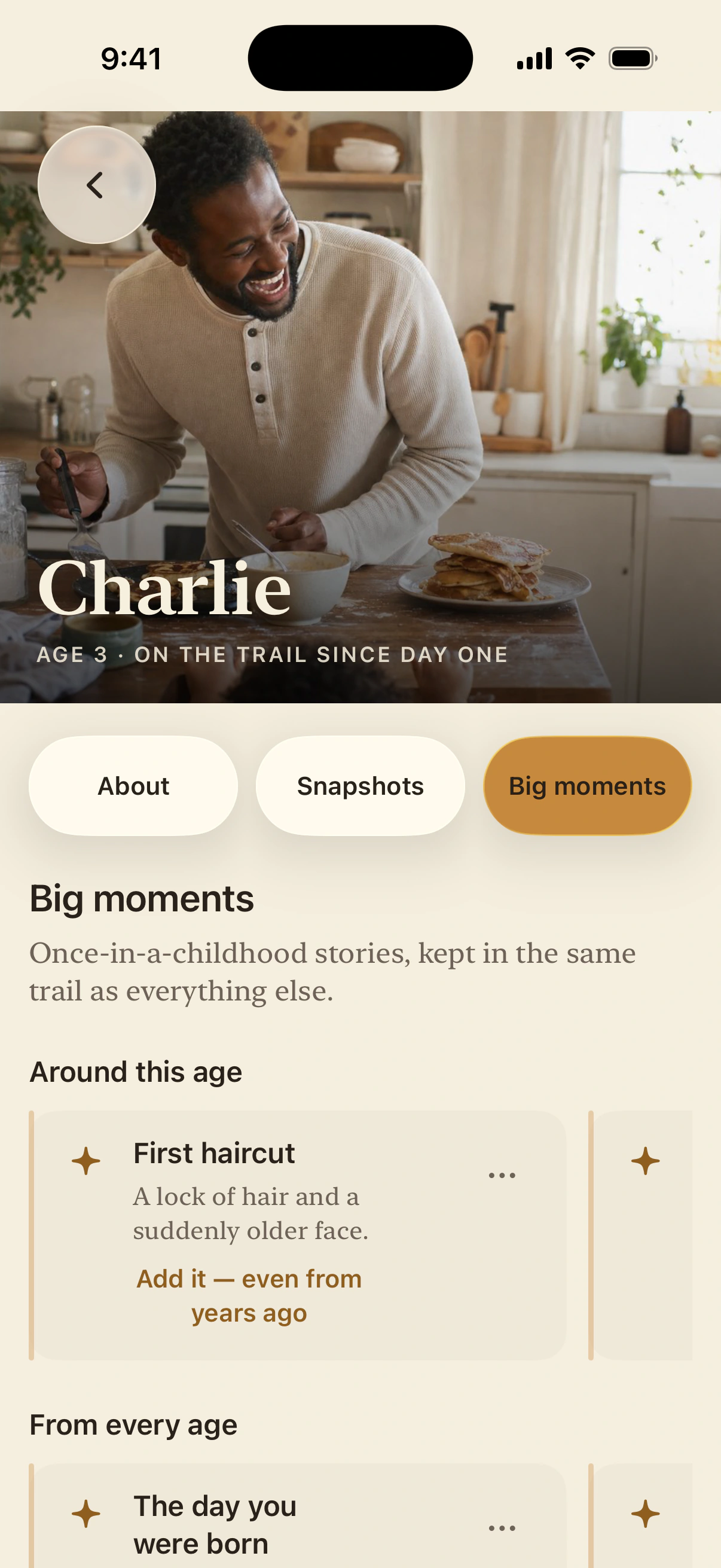
Big Moments are the once-in-a-childhood stories you may want to find at a glance, kept in the same private trail as everything else.

A child profile open to Big moments, with suggested and saved milestones
Current iPhone preview

Open a child

Choose their name on the trail, then open the Big Moments tab on their page.

Use a suggestion or make your own

Keep a familiar landmark, rename it, or add the moment that belongs uniquely to your family.

Add it from years ago

A Big Moment can be backfilled at any time. The moment date places it where it belongs in the trail.

They are not a checklist and nothing is overdue. Add a first, a change, or a turning point whenever the memory comes back to you.

Earlier years

Bring the earlier years with you.

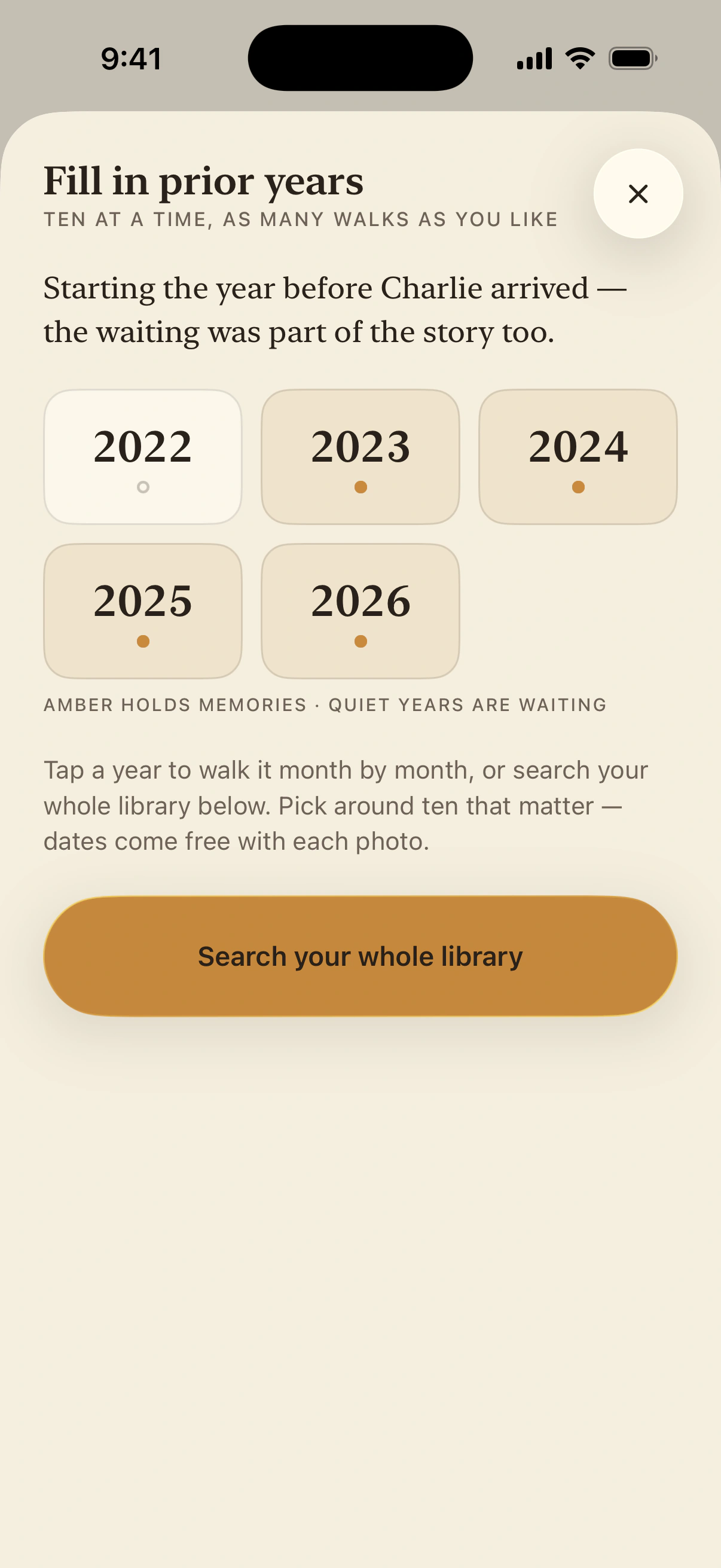
Choose a year and walk through the photos already on your iPhone. Pick the handful that still carry a story; their dates come with them.

Daycrumbs Fill in prior years screen with year choices and a whole-library search
Current iPhone preview

Choose one year

Open Settings, then Your memories and Fill in prior years. Choose the year you want to revisit. Amber dots show years that already hold memories.

Pick what still matters

Walk month by month or search the whole library. Select around ten photos rather than sorting everything.

Add the part a photo cannot hold

Keep the original date, then add a title, your voice, or what was happening just outside the frame.

You are not rebuilding an archive. Ten photos at a time is enough, quiet years can stay quiet, and you can take as many small walks backward as you like.

Need a hand?

Find answers to common questions or get in touch with us.

Get helpBack to Daycrumbs

A small choice, entirely yours.

May we use self-hosted Umami and Google Analytics cookies to understand visits to this website? Your journal stays private. Details